I. Disassembly & Assembly Instructions for Flexible Replacement Parts
1. Tool List
Flexible replacement part × 1
Small wrench / Electric screwdriver (M2 bit) × 1
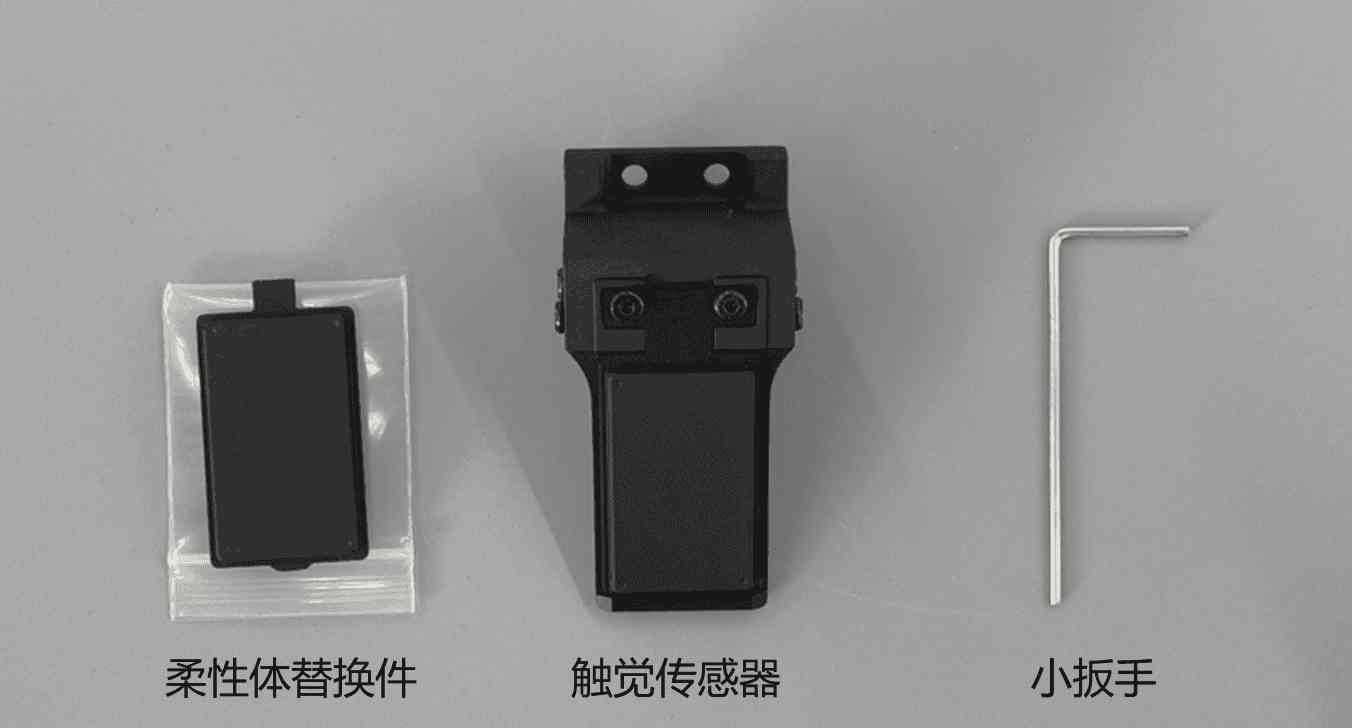
2. Instructions for Replacing Flexible Replacement Parts
STEP 1: As shown in Figure 1, use a small wrench to unscrew the 2 M2 screws on the sensor sheet metal, then remove the sheet metal part.
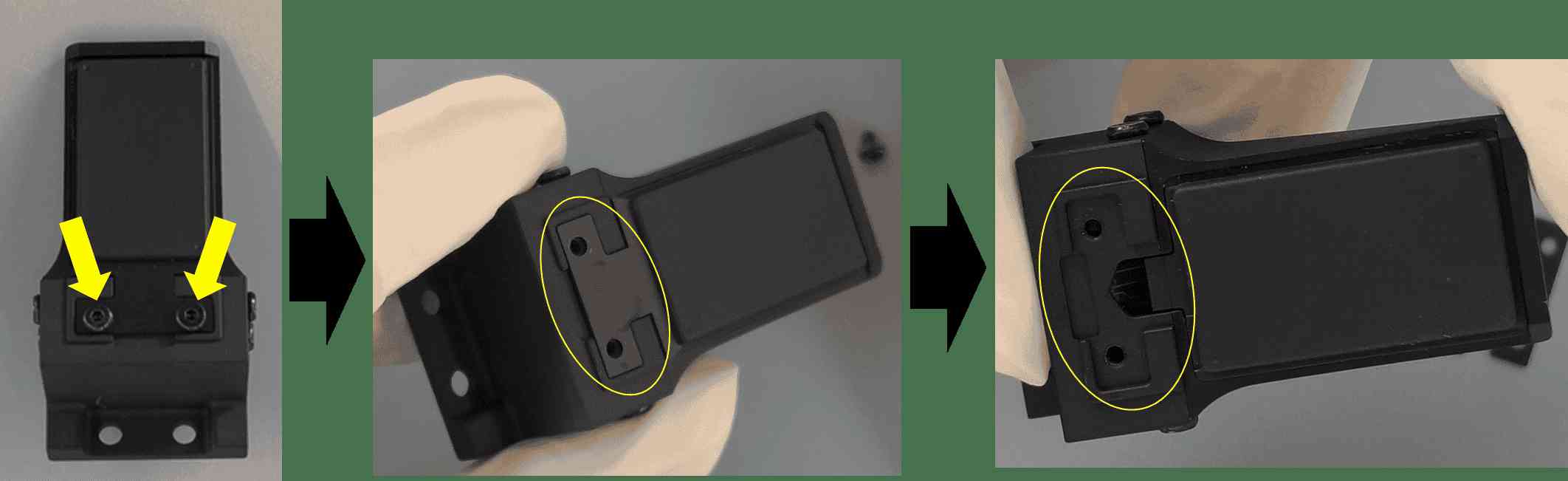
Figure 1
STEP 2: As shown in Figure 2, use a small wrench to gently pry open the buckle, then lift and remove the flexible replacement part.
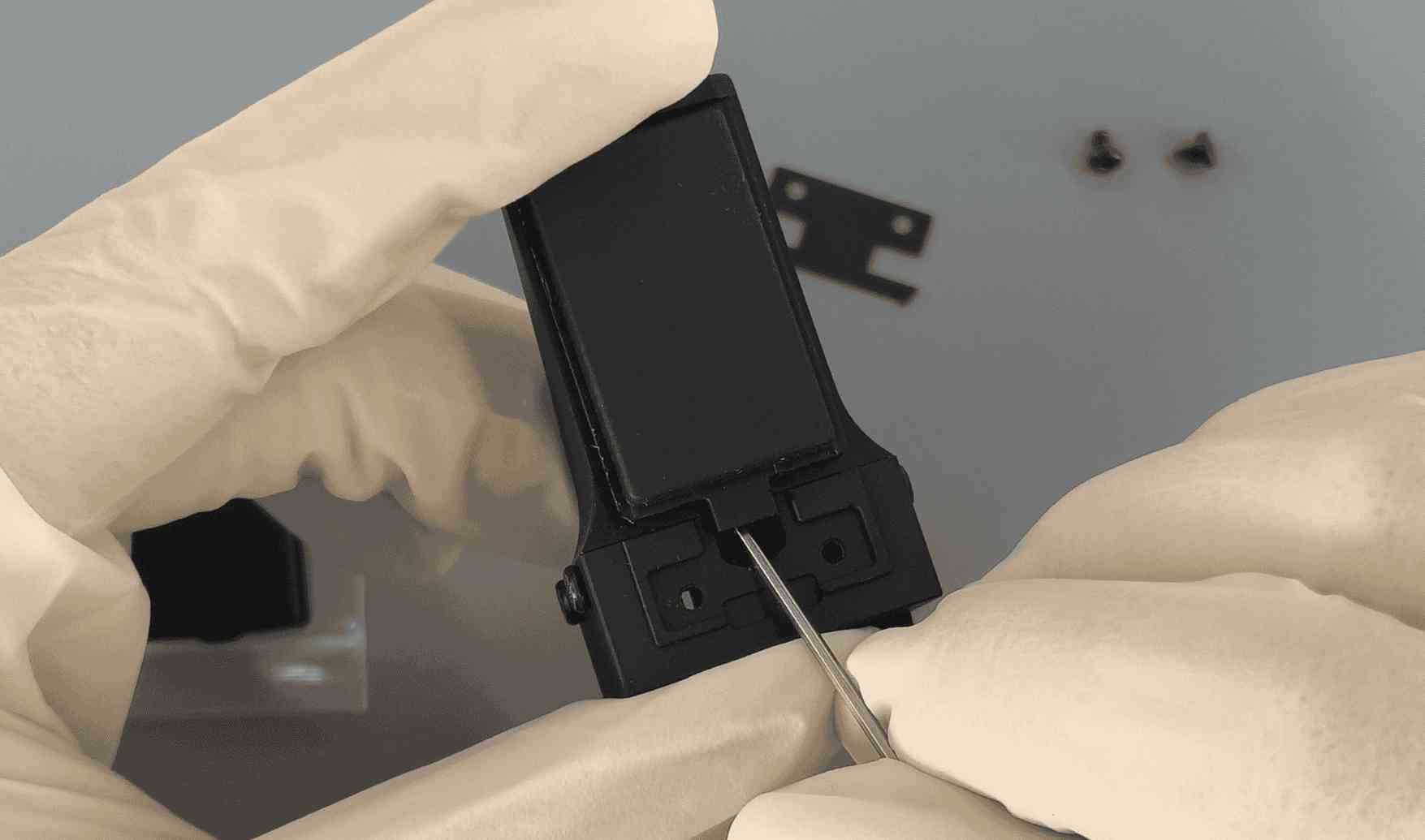
Figure 2
STEP 3: As shown in Figure 3, inspect the optical surface of the replacement part and the internal lens of the sensor. If there is dust, first use an air blower to remove the dust, then gently wipe with a dedicated lens cloth to avoid scratching the surface.
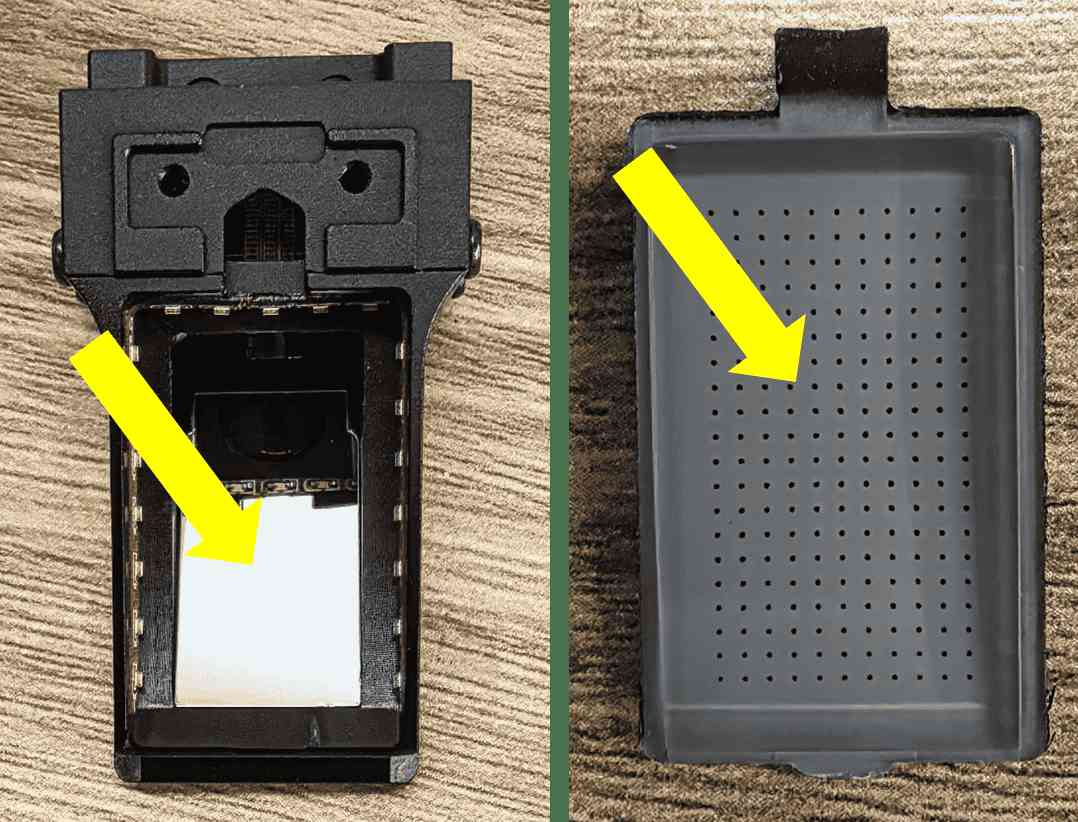
Figure 3
STEP 4: As shown in Figure 4, install the new flexible replacement part. Strictly follow the order of Step 1 to Step 4; an incorrect order may cause permanent damage to the internal components of the sensor!
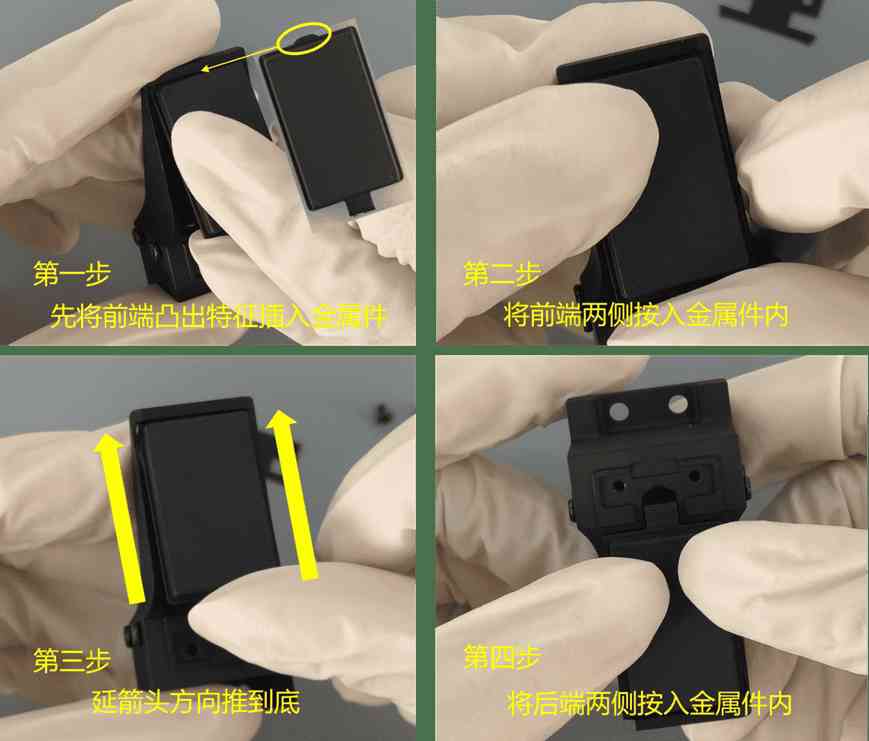
Figure 4
STEP 5: As shown in Figure 5, install the sheet metal part and tighten the screws, following the reverse order of STEP 1.
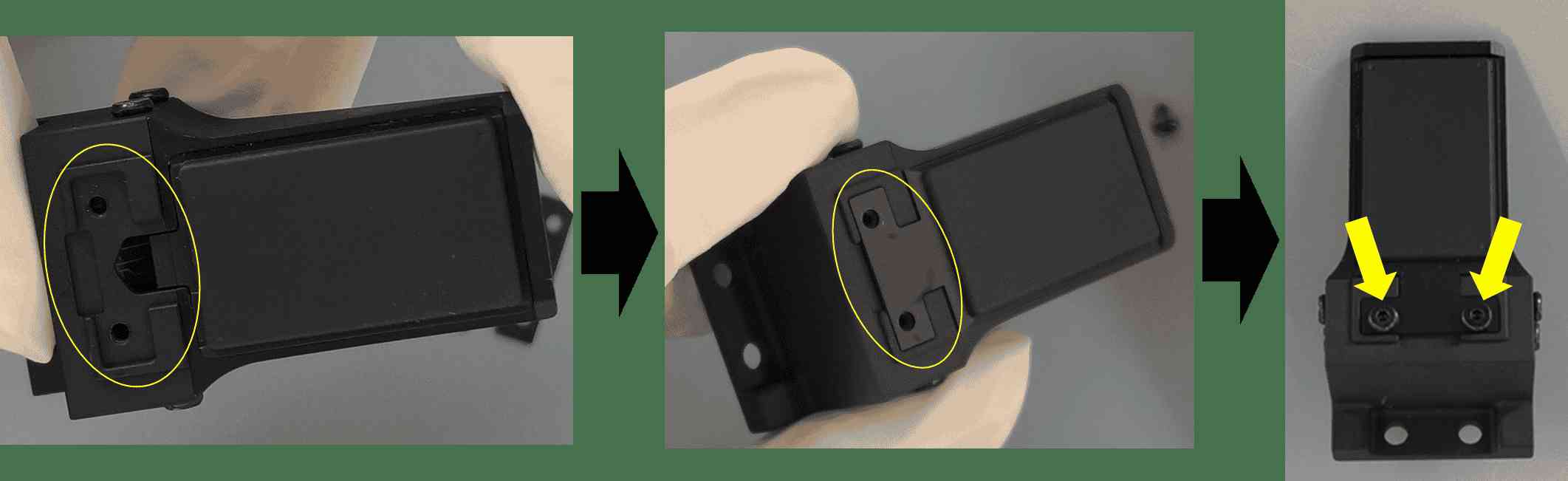
Figure 5