III. Installation and Setup
1. Installation Steps
Windows Platform: The XenseGripper.exe installer is provided. Double-click it and follow the on-screen prompts to complete the installation. After installation, a shortcut named “Xense Gripper” will appear on the desktop.
Linux Platform: The xensegripper.deb installer is provided. Use the sudo command to install it:
sudo dpkg -i /path/to/your/XenseGripper_v1.0.1.deb
2. Initial Configuration
After the program starts, the software interface will be displayed as shown in Figure 1:
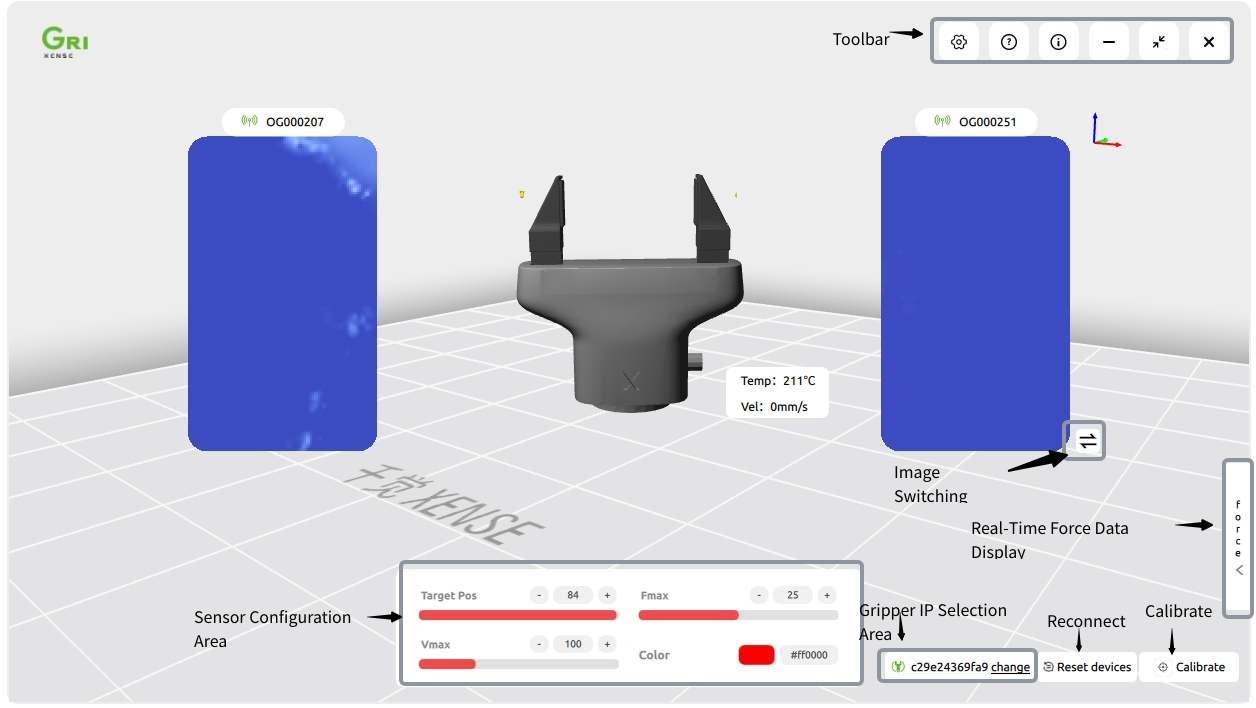
Figure 1: Initial Software Setup